AI in Physical Education: Fitness Testing to a Personalized 4-Week Training Unit (8 Lessons)
Table of Contents
Toggle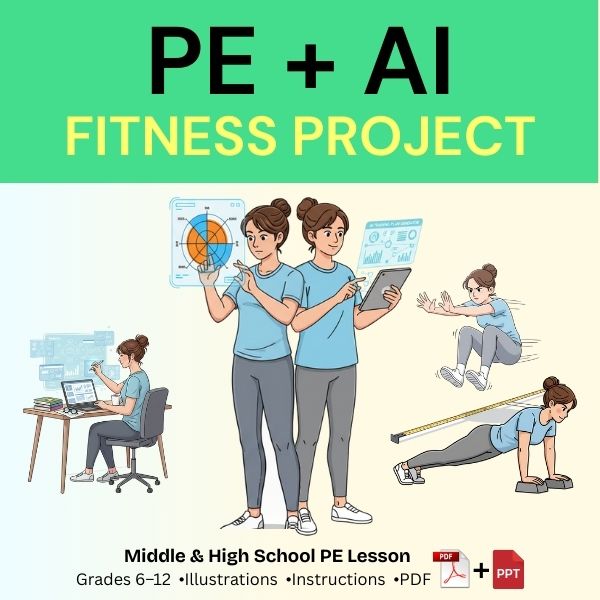
Fitness testing in PE often ends with numbers on a sheet. But the real learning starts when students turn those numbers into decisions.
This unit shows you how to use AI in physical education to transform baseline fitness tests into a personalized 4-week training plan that runs entirely inside PE class—no “screen-time PE,” no complicated tech setup, and no need for advanced gym equipment.
Students will:
complete standardized fitness tests,
compare results to age-appropriate benchmarks (and their own baseline),
use AI to draft a personalized plan for 8 PE lessons (4 weeks),
train consistently during PE, and
retest to measure improvement and reflect.
If you’re looking for a practical way to use AI in the classroom and AI in PE, this is the system.
Want the Student Worksheet + Class Presentation Templates?
$9.99 $4.99
- Student work template
- Presentation PPT
- Set up
- High school
- Middle School
Why AI belongs in PE (when it’s used correctly)
AI shouldn’t replace teaching. It should reduce the “blank page problem” and help students practice real-world skills:
setting realistic goals,
planning training with constraints (time, equipment, space),
tracking effort and progress,
adjusting the plan based on results.
In other words: AI supports student ownership and differentiation—two things every PE teacher wants, especially with mixed-ability classes.
Unit overview: Fitness → AI Plan → Retest
Length: 4 weeks
Sessions: 8 lessons (2 lessons/week)
Assessment: baseline test + retest + reflection
What students produce
Baseline results summary (simple + clear)
1–2 SMART goals
An 8-lesson training plan (AI-assisted, teacher-approved)
A session log (RPE + key metrics)
A short reflection after the retest
Step 1: Choose fitness tests that are reliable and repeatable

Pick tests that are:
easy to standardize,
safe to repeat after 4 weeks,
quick to run in a class setting,
meaningful for students.
You can use a small set of “health-related fitness” tests (aerobic capacity, muscular endurance, mobility/flexibility). Many US schools reference frameworks like Presidential Youth Fitness Program, but you can adapt the unit to your local approach.
Teacher tip: consistency beats complexity. Use the exact same protocol at baseline and retest.
Step 2: Benchmark without shaming (make it about growth)
Students should compare results in three ways:
age-appropriate benchmarks (where available),
personal baseline (most motivating),
a realistic 4-week improvement target.
The message is:
“Where am I today—and what can I improve in 4 weeks?”
Not: “Who is the best?”

Step 3: The AI rules (privacy + quality)
Before students use AI, set two non-negotiables:
Rule #1: No personal identifiers
Students should never paste full names, addresses, school names, or anything that identifies them.
Rule #2: AI drafts — the teacher decides
AI generates a first draft. The teacher approves, edits, and makes it class-ready.
Step 4: Copy/paste prompt that produces great PE plans
This prompt is designed to keep outputs consistent, safe, and realistic for PE.
Student-friendly prompt (recommended)
PROMPT
You are a PE coach. Build an 8-session training plan (4 weeks, 2 sessions/week) based on baseline fitness results.
Constraints:
Session length: [X] minutes
Equipment available: [list]
Space: [gym / outdoor / small indoor]
Student level: [beginner / intermediate]
Limitations: [e.g., “knee pain with jumping”]
Goals (choose 1–2):
Improve aerobic endurance
Improve push-up endurance
Improve core endurance
Improve mobility/flexibility
Baseline results (no personal identifiers):
Aerobic test: [result]
Push-ups (or alternative): [result]
Core (plank or similar): [result]
Mobility test: [result]
Requirements:
Provide warm-up (5–8 min), main set (20–25 min), cool-down (3–5 min) for each session.
Include progressions and easier options.
Use RPE (1–10) target for intensity and keep it safe for mixed-ability PE.
Include brief coaching cues and common mistakes.
Provide a simple tracking table (what to record each session).
Output format: Week 1–4, Session 1–8 with headings.
Why this prompt works
It forces the AI to respect:
your equipment,
your time,
your class reality,
progression and regression options,
and a tracking routine that creates accountability.
Step 5: Run each lesson with a simple, repeatable structure
A consistent lesson format keeps students focused and reduces management time.
Recommended structure (every session)
-
Warm-up (5–8 min)
-
Main set (20–25 min): stations + clear timing
-
Quick log (60–90 sec): record RPE + 1–2 metrics
-
Exit question (30 sec): “What did you improve today?”

Step 6: Retest on Lesson 8 (and make the learning visible)

On the final lesson:
retest using the exact same protocols,
compare to baseline and goals,
run a short reflection task.
Student reflection prompts
What improved the most—and why?
What didn’t improve—and what would you change?
Which sessions felt most effective?
If you ran 4 more weeks, what progression would you use?
This is where PE becomes data + decision-making, not just activity.
Classroom management: how to keep it simple and safe
Keep AI time short
AI should take 5–10 minutes total (once), not every lesson.
Keep student tracking simple
Students only record:
RPE (1–10),
one main metric (time/reps/rounds),
one short note (“what worked / what to fix”).
Keep safety obvious
Make sure every plan includes:
warm-up,
technique cues,
regressions,
realistic work/rest ratios.
How to explain this to administrators and parents
Use this framing:
Students are learning to interpret data, set goals, and plan training.
AI is a drafting tool; the teacher supervises and approves.
The unit uses minimal data and avoids sensitive personal information.
Students retest to validate whether the plan worked (real evidence of learning).
FAQs (high value for SEO + clarity)
Is it OK to use AI in PE class?
Yes—when it supports learning, protects privacy, and the teacher supervises outputs. The goal is not “AI doing the work,” but students learning planning and reflection skills.
What if I have limited equipment?
That’s exactly where AI helps: you feed the equipment list and time constraints, and it generates realistic station-based alternatives.
Does this work for middle school and high school?
Yes. The structure stays the same. You simply adjust intensity, progressions, and how you benchmark results.
What’s the biggest mistake teachers make with AI in PE?
Using AI every lesson. The best use is once, to create the plan—then PE becomes movement, training, and reflection.
Keywords
middle school PE lesson plan, high school PE lesson plan, fitness unit PE, PE assessment tools, PE fitness testing, student fitness goals worksheet, PE warm up and cool down routines
Want the Student Worksheet + Class Presentation Templates?
$9.99 $4.99
- Student work template
- Presentation PPT
- Set up
- High school
- Middle School